
Keeps track so you don’t have to.
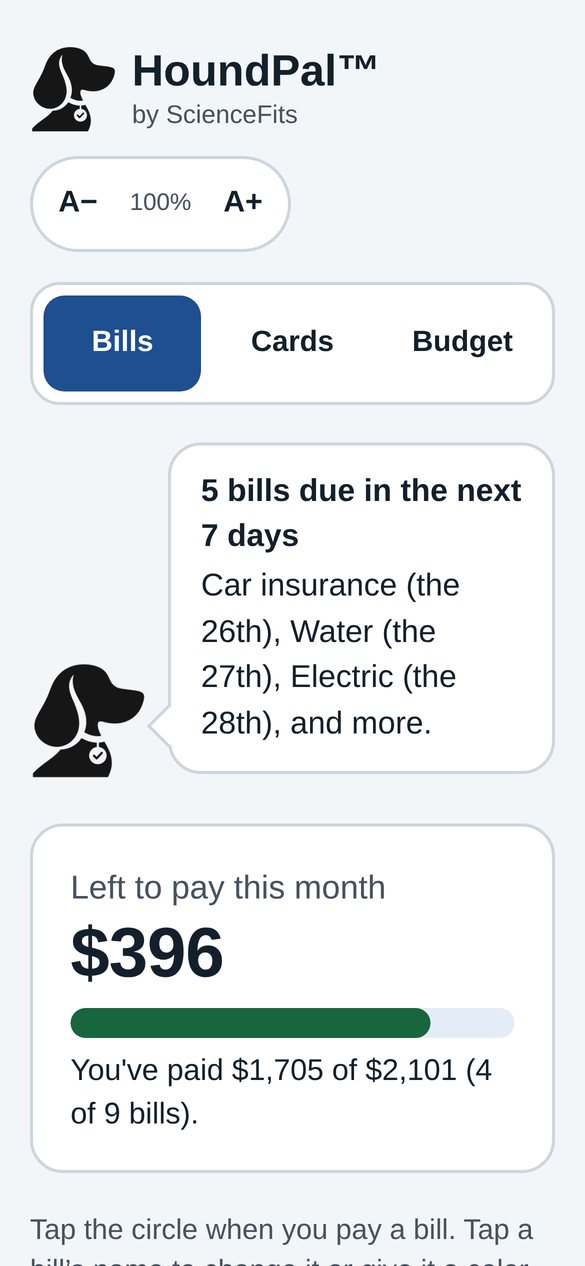
A simple bill tracker with big, easy-to-read text. See what’s due, what’s paid, and what’s left, with a friendly hound sniffing out anything you might miss.
Free to use. No sign-up. Your info stays on your own phone.
Everything in one place
Built to be simple, with large text and big buttons from the start.
- BillsTap to mark a bill paid. See what’s left this month at a glance.
- A hound on the lookoutHoundPal points out bills due in the next 7 days and anything past due.
- Cards and balancesKeep credit cards, minimum payments, and other balances together.
- Budget and savings goalsSee what’s left after bills and spending, and track goals like an emergency fund.
- Calendar remindersAdd your due dates to your phone’s calendar, with an alert the day before.
- Calculator and tip calculatorAlways one tap away, on every page.
- Easy to readMake the text bigger with one tap. Light and dark mode.
- Color-coding and sortingMark things red, yellow, or green. Sort smallest to largest or by due date.
Take a look
Sample screens with made-up bills.
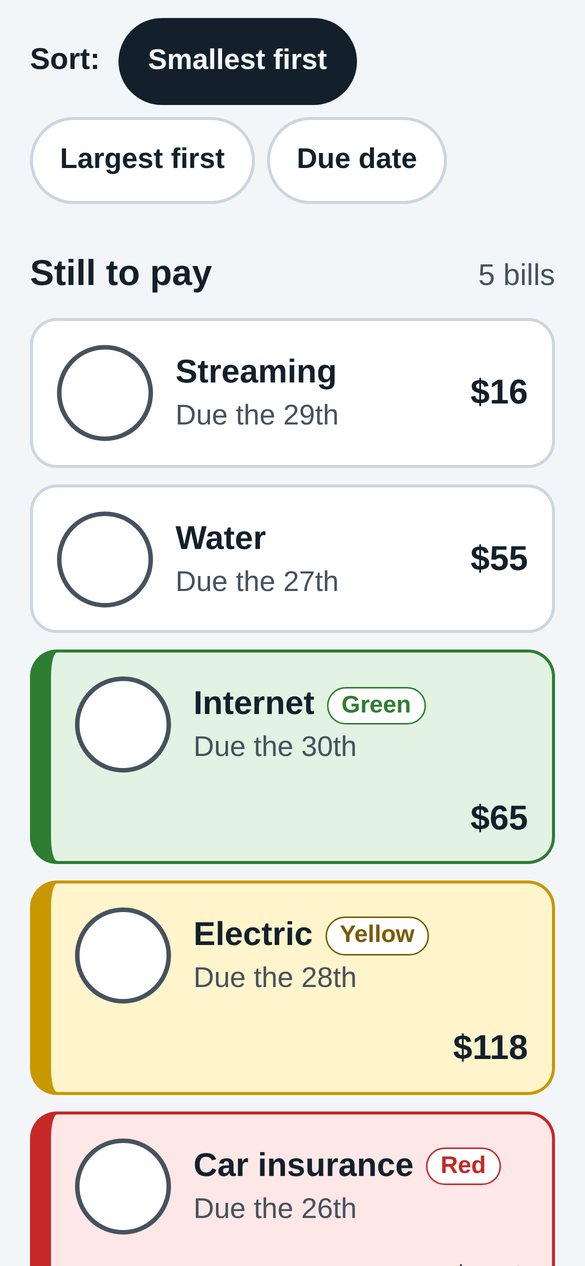
Color-coded bills 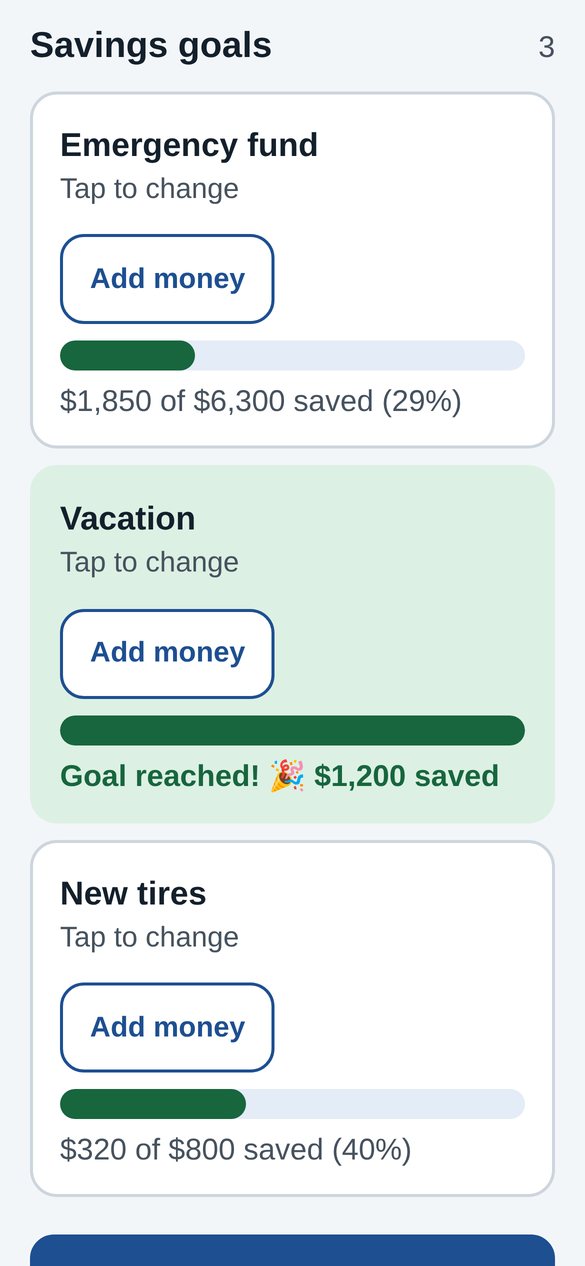
Savings goals 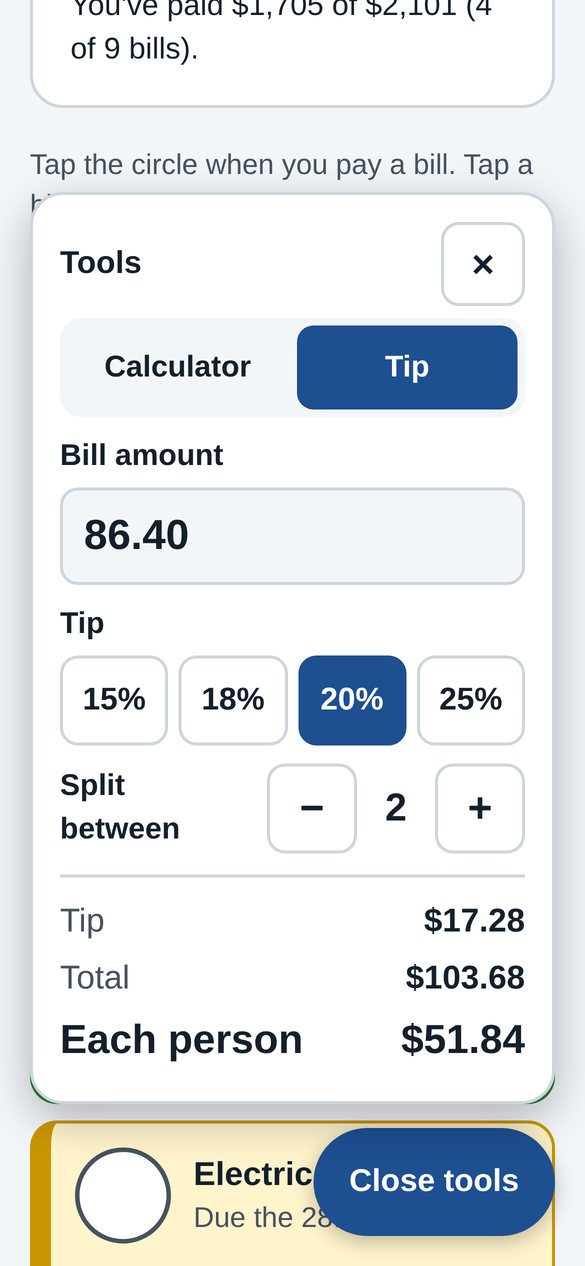
Tip calculator
Get started in a minute
No account needed.
- Open HoundPalTap the button on this page.
- Add your billsName, amount, and the day it’s due.
- Add it to your Home ScreenIn Safari, tap Share, then Add to Home Screen. It opens like an app.
Your bills stay on your phone
HoundPal saves your information on your own device. There’s no account, and ScienceFits doesn’t collect or see your bills. Use “Save a backup copy” inside the app to keep a copy of your info.
Coming soon to the App Store and Google Play
Until then, HoundPal works right in your phone’s browser.
Open HoundPal